Stop spending Monday chasing timesheets.
Every workday morning, anyone who hasn't logged their hours in AroFlo gets an email listing the days they're missing. It chases them so the office doesn't have to.
See if it suits youFive quick questions, then a 20-minute demo.
It sends the reminder. Every morning. Without you.
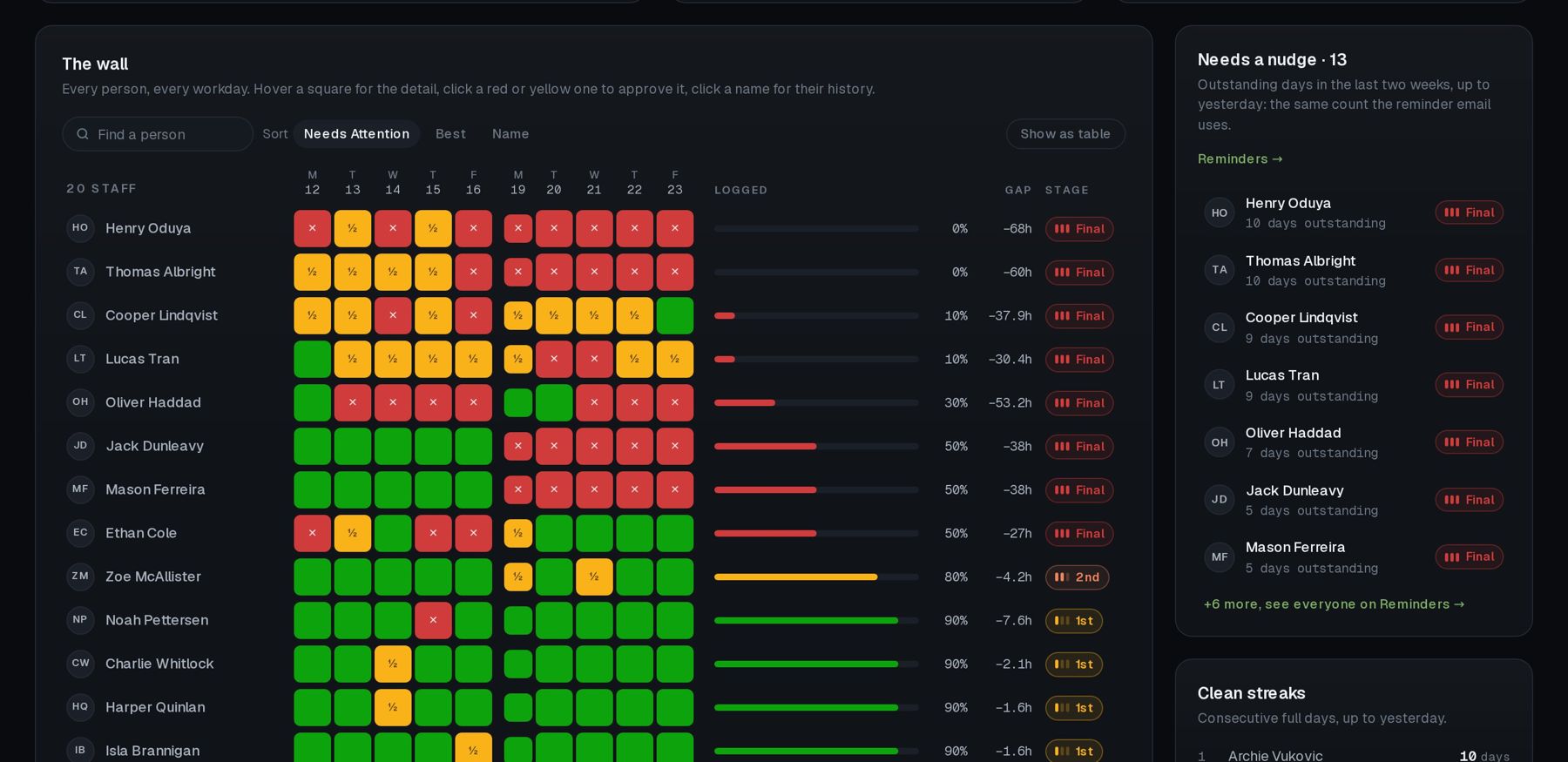
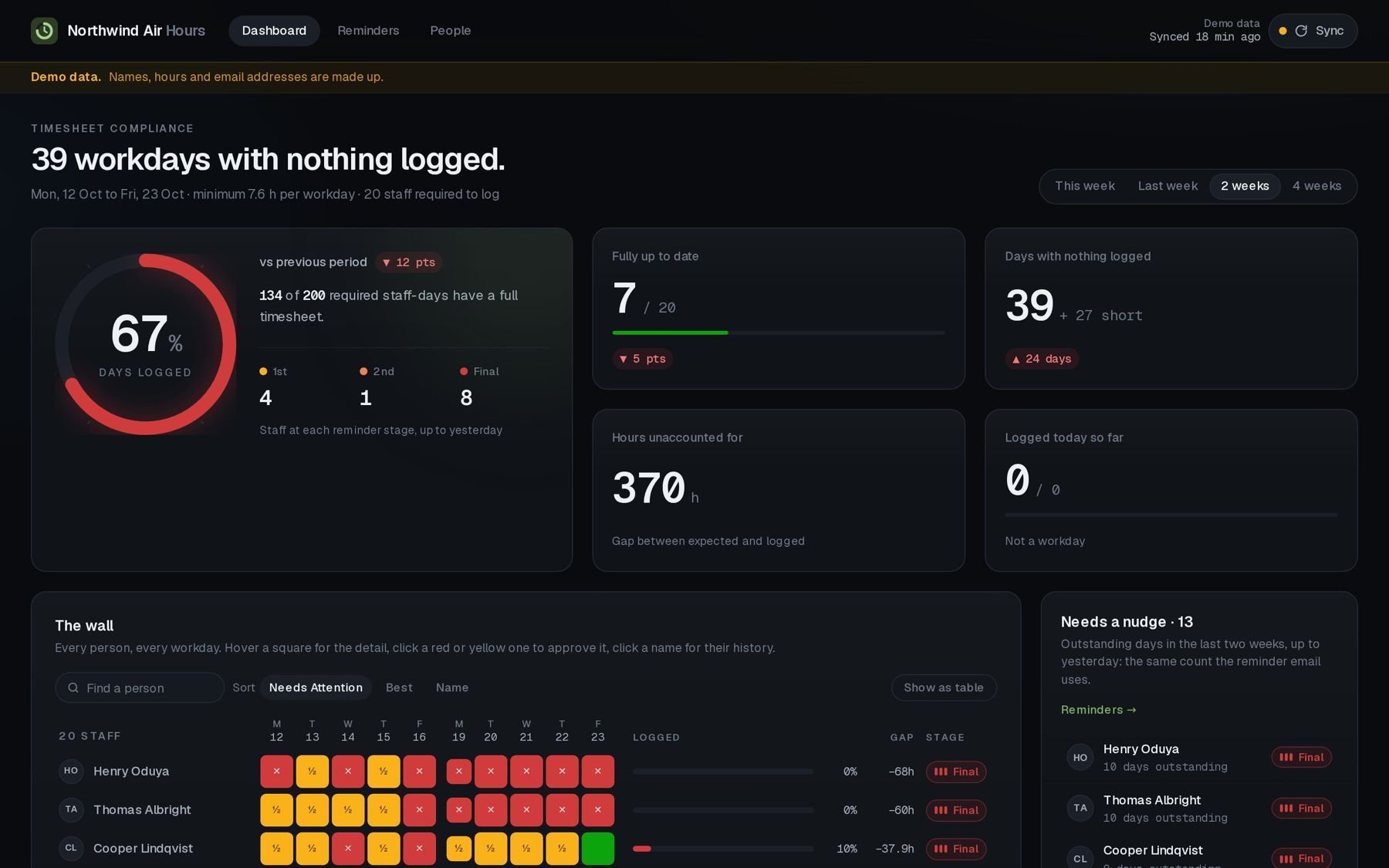
Each workday morning it checks the last two weeks of AroFlo timesheets and emails anyone with a day short of their minimum. One email per person, listing every outstanding day. Monday covers Friday. It comes from your office address, in your wording, word for word.
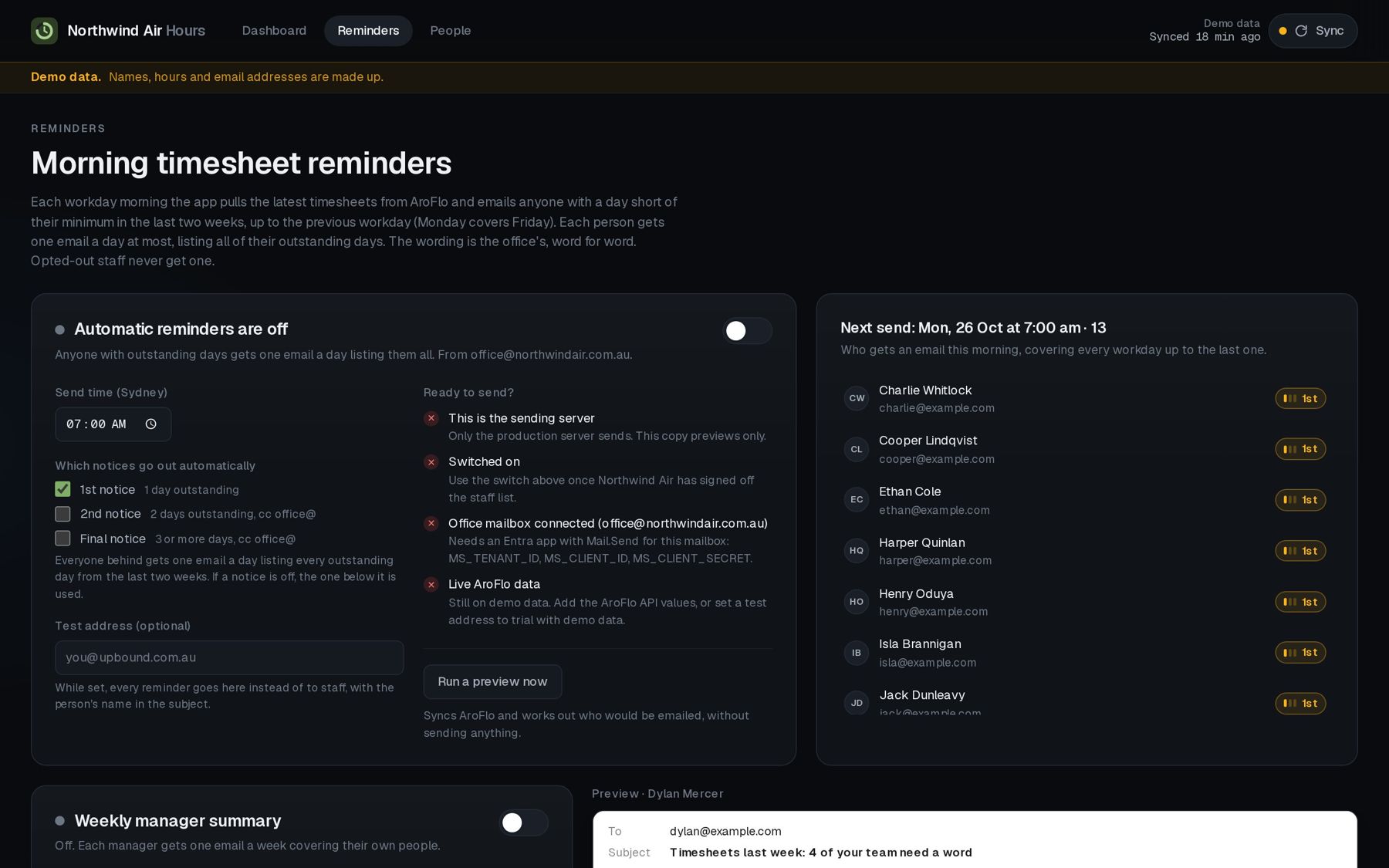
- 1st notice1 day outstanding. Just to them.
- 2nd notice2 days outstanding. The office gets a copy.
- Final3 or more days. The office gets a copy.
Leave and RDOs logged in AroFlo count as a full day. Staff who don't need to log hours can be switched off, part-timers get their own daily minimum, and you can approve any day by hand. Each manager also gets one email a week covering their own people.
- From
- office@yourbusiness.com.au
- To
- sam@example.com
- Subject
- Timesheets: 2 days need your hours
Morning Sam,
These days don't have a full day logged yet:
- Thu 22 Oct: nothing logged
- Fri 23 Oct: 3.5 h of 7.6 h
Please pop them into AroFlo today. Thanks!
Example email with a made-up name. You set the wording.
Already running, on AroFlo.
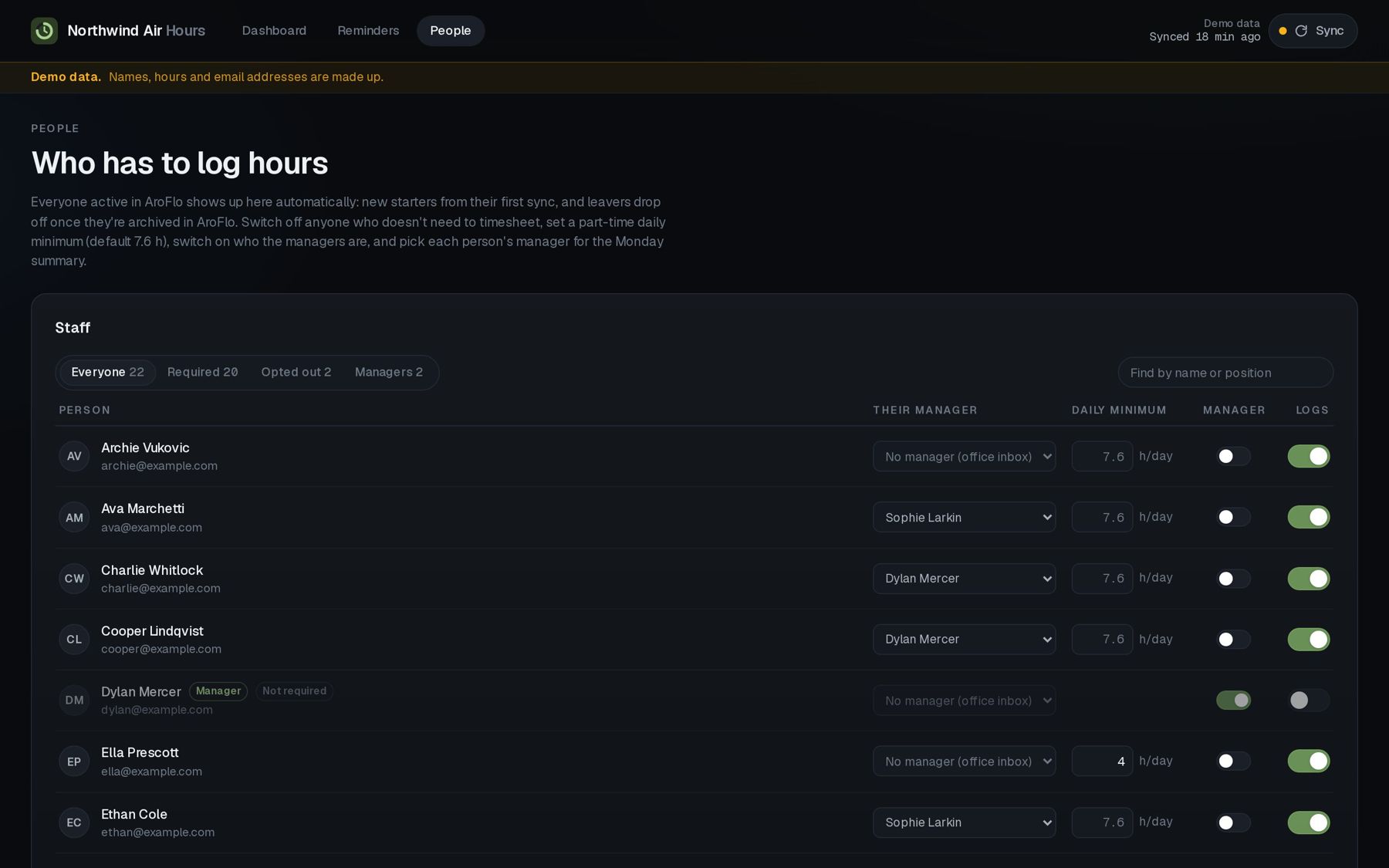
We built this for a 50-person air conditioning business that runs on AroFlo. It reads their timesheets every 30 minutes, shows who hasn't logged their hours, and sends the reminder emails itself. The screenshots below use demo data with made-up staff, so we're not showing anyone's real hours.
Three steps. Most of it's on us.
Book a 20-minute demo
We show you the screens and ask how your team logs hours now.
We connect it
You switch on AroFlo's API in Site Administration and pass us the access details. We connect it and load your staff list. Nothing to install on anyone's phone.
You stop chasing
You approve the staff list and the email wording, switch the reminders on, and it takes over the mornings.
Your rules, not ours
Good fit
- Your team logs time in AroFlo, or is meant to
- Five or more people in the field
- Someone in the office spends time every week chasing hours
- Payroll, job costing or invoicing waits on timesheets that aren't in
Not a fit
- You don't use AroFlo
- Fewer than five people logging time
- You want a payroll system. This chases the hours; it doesn't pay them

G'day, I'm Jake.
I run UpBound, a small team in Taree NSW. We look after websites, phone systems, IT and custom apps for local businesses, a lot of them in the trades.
We built this for an air conditioning business whose office was sick of chasing timesheets. It worked, so now we're offering it to other businesses on AroFlo. The demo is with me, not a sales team.
Questions you'd ask
Won't the team just ignore the emails?
Some will, at first. That's why it steps up: after two days outstanding the office gets a copy, and the dashboard shows exactly who's behind, so the conversation is one name, not twenty.
Does it change anything in AroFlo?
No. It only reads your staff list and timesheets. Your team keeps logging hours in AroFlo exactly like they do now.
What about leave, RDOs and public holidays?
Leave and RDOs logged in AroFlo count as a full day, NSW public holidays are skipped, and today never counts until it's over. If someone's day is fine for another reason, you approve it with one click and they won't get an email for it.
Will it nag people who don't need to log hours?
No. You switch off anyone who doesn't timesheet, and set a lower daily minimum for part-timers. New staff in AroFlo show up on their own, and people you archive drop off.
Can I check the emails before they go out?
Yes. It ships switched off. You can preview who would be emailed without sending anything, and send everything to a test address first.
Who sends the emails?
Your own office address, so replies come back to you. We set that up on Microsoft 365. If you're on something else, ask us in the demo.
Do I need to install anything?
No. You open it in a browser, behind a sign-in for your team. Nothing goes on anyone's phone.
What does it cost?
It depends on the size of your team. You'll get a fixed price in the demo, and there's no lock-in contract.